 +34 603395534


Candela’s Dynamic Cooling Device (DCD) is one of the core features of the GentleLASE, GentleYAG, and GentleMAX laser systems. It releases a controlled burst of cryogen spray milliseconds before each laser pulse to protect the epidermis, allowing safe and effective treatments at higher fluences. When the DCD system detects an issue, the laser console displays a fault code. This guide summarizes the most common DCD-related error messages observed across the GentleLASE, GentleYAG, GentleMAX, and GentleMAX Pro systems.
Disclaimer: This list is provided for educational reference, based on publicly available Candela documentation and technician training resources. For definitive diagnostic instructions, always consult your official Candela Operator’s Manual or authorized service provider.
Table of Contents
- Understanding DCD Fault Codes
- 8.x – Pressure & Valve-Related Faults
- 9.x – Temperature & Warm-Up Faults
- 16–18.x – Sensor, Calibration & System Faults
- Preventing Future DCD Errors
Understanding DCD Fault Codes
DCD error codes generally fall into three categories:
- Pressure faults (8.x): Indicate problems with canister pressure, valve operation, or blocked nozzles.
- Temperature faults (9.x): Occur when internal temperatures or cryogen warm-up pressures are outside normal limits.
- Sensor & calibration faults (16–18.x): Suggest empty canisters, electrical faults, or calibration inconsistencies.
8.x – Pressure & Valve-Related DCD Faults
| Fault Code | Meaning | Recommended Action |
|---|---|---|
| 8.1 | Low DCD pressure (canister A or B). | Replace cryogen canister with a full, high-purity CryogenPro unit. Store upright and at room temperature before use. |
| 8.2 | High DCD pressure detected. | Shut down system and allow to stabilize. Verify ambient temperature and canister condition. Replace if overpressurized. |
| 8.3 | Valve fault (no spray detected or valve not responding). | Power off system, reseat or replace canister, inspect valve seal for frost or debris. Restart and perform a test spray. |
| 8.4 | Temperature sensor fault in DCD module. | Allow system to cool for 15 minutes, then restart. If issue persists, contact Candela service. |
| 8.5 | Cryogen valve driver or circuit fault. | Restart the laser. If the error repeats, stop operation and schedule professional inspection. |
| 8.6 | DCD communication error between canister controller and main board. | Power cycle device; ensure all cables and connectors are properly seated. If repeated, request service assistance. |
9.x – Temperature & Warm-Up Faults
| Fault Code | Meaning | Recommended Action |
|---|---|---|
| 9.1 | Temperature control fault during DCD warm-up. | Ensure device ventilation is adequate. Restart after cooling period. If repeated, inspect cooling fans. |
| 9.2 | DCD warm-up pressure out of range. | Replace cryogen canister if near empty or stored cold. Allow system to reach room temperature before restart. |
| 9.3 | DCD overheat protection triggered. | Turn off laser for 10–15 minutes. Check room temperature and ensure cooling vents are unobstructed. |
16–18.x – Sensor, Calibration & System Faults
| Fault Code | Meaning | Recommended Action |
|---|---|---|
| 16 | DCD canister empty. | Replace with new CryogenPro canister. Always confirm spray before resuming treatments. |
| 17 | Air bubble detected in handpiece cryogen line. | Run 3–4 test sprays until cryogen flow stabilizes. If problem persists, reseat handpiece and recheck connection. |
| 18.1 | DCD circuit self-test failed. | Restart system. If fault persists, contact authorized technician. |
| 18.2 | DCD spray calibration error. | Perform test spray and check spray pattern. Replace canister if inconsistent or sputtering. |
| 18.3 | DCD valve calibration out of range. | Power cycle system. If issue repeats, service adjustment required. |
Preventing Future DCD Errors
- Use only high-purity cryogen designed for Candela lasers (such as CryogenPro).
- Store canisters upright in a cool, dry environment (15–25°C).
- Perform test sprays before each treatment session.
- Inspect and clean nozzle openings regularly to avoid frost or residue buildup.
- Keep DCD vents clear to prevent overheating.
Conclusion
Understanding DCD error codes allows you to quickly identify the cause of common cryogen and cooling problems in Candela lasers. While many faults can be resolved through simple checks—such as replacing the cryogen canister, inspecting valves, or restarting the device—persistent codes should always be reviewed by an authorized service provider. Using certified cryogen such as CryogenPro helps ensure consistent spray performance and reliable DCD operation across GentleLASE, GentleYAG, and GentleMAX systems.
Sources:
https://alcteam. weebly.com/uploads/7/7/1/2/7712426/gmax_-_operators_manual.pdf
Cryogen Gas for laser machines

A box of six 1000 g bottles of Candela laser cryogen of the highest purity and quality.
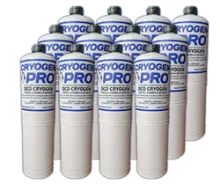
A box of 12 x 1000g bottles of Cryogen for Candela Laser of the highest purity and quality.